
All features
Feature
Flows
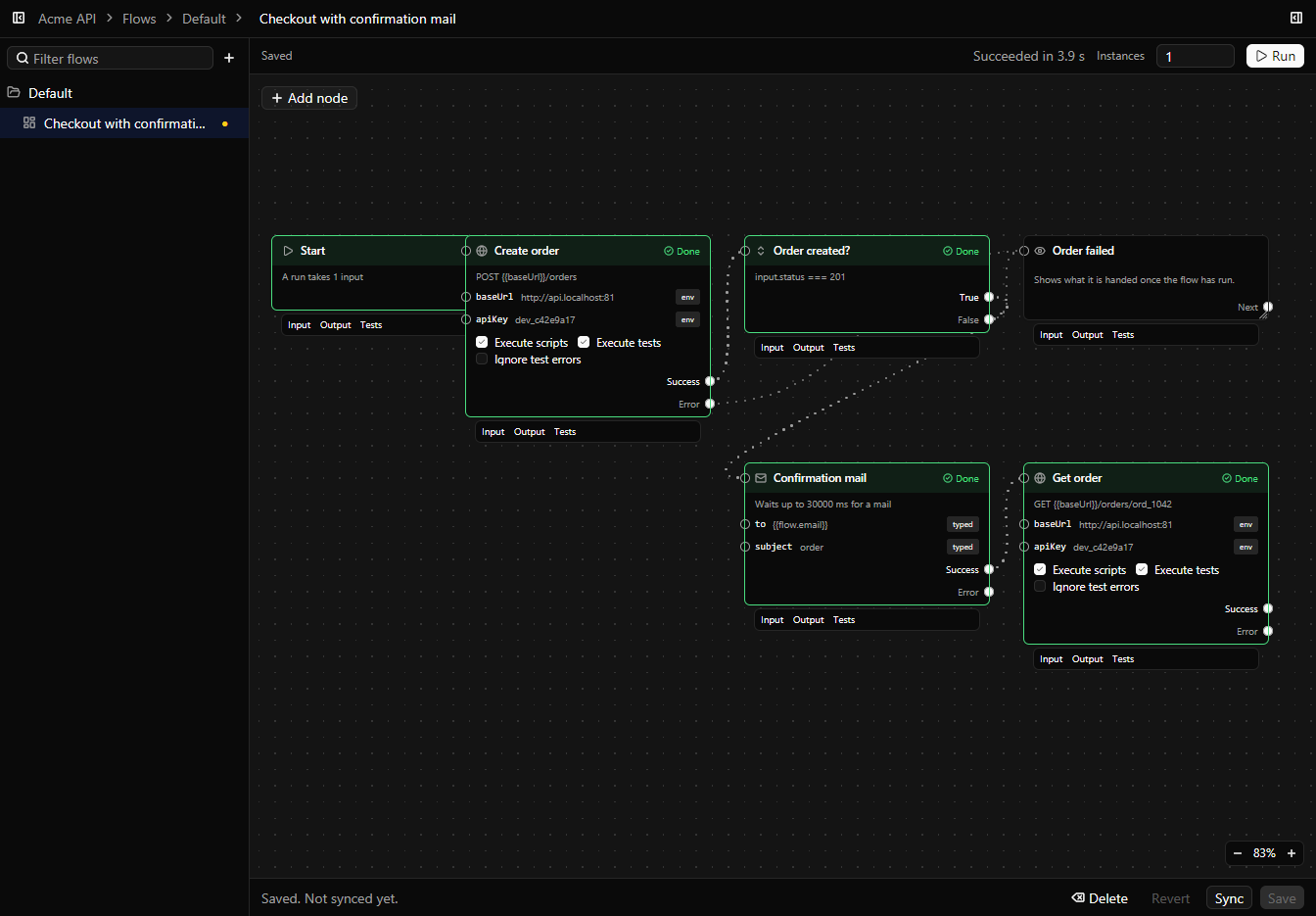
Chain saved requests on a canvas, pass values between them, branch on the answer, and run the whole flow at once.
How it works
A flow is a graph of saved requests and the steps between them. Wire a value from one response into the next request, branch with If and Condition nodes, loop with Repeat and For each, read a stream, call an MCP tool, or wait for the mail your app sends. Run a flow in the app and watch each node turn green, run it from the terminal with one line per step, or load test it with many instances at once. A flow can also be built from captured traffic, or written as a short list of YAML steps.
When to use it
- Test a sign-up from the first request to the confirmation mail.
- Log in once and reuse the token in every request after it.
- Load test a checkout path with a hundred instances at once.